Social Media Marketing 101 Workshop (Earthsite)

Speaker · Workshop · Earthsite · Fairfax, CA · 12 June 2009

Beginning-to-intermediate hands-on workshop on social media marketing for business: key concepts, listening first, the skills and budgets needed, then setting up and maintaining LinkedIn, Facebook and Twitter.

Part of Earthsite
Slides
SOCIAL MEDIA MARKETING beginning-intermediate workshop
Slide 1 of 40
WELCOME TO EARTHSITE • Web Strategy for Sustainable Brands • Strategy and Branding • Web Design and Development • Social…
Slide 2 of 40
ROADMAP 1. Concepts 2. Listening 3. LinkedIn 4. Facebook 5. Twitter
Slide 3 of 40
KEY CONCEPTS
Slide 4 of 40
WHAT IS SOCIAL MEDIA? • Social Networking • Online Video • Blogging • Ratings/Reviews • Sharing Content
Slide 5 of 40
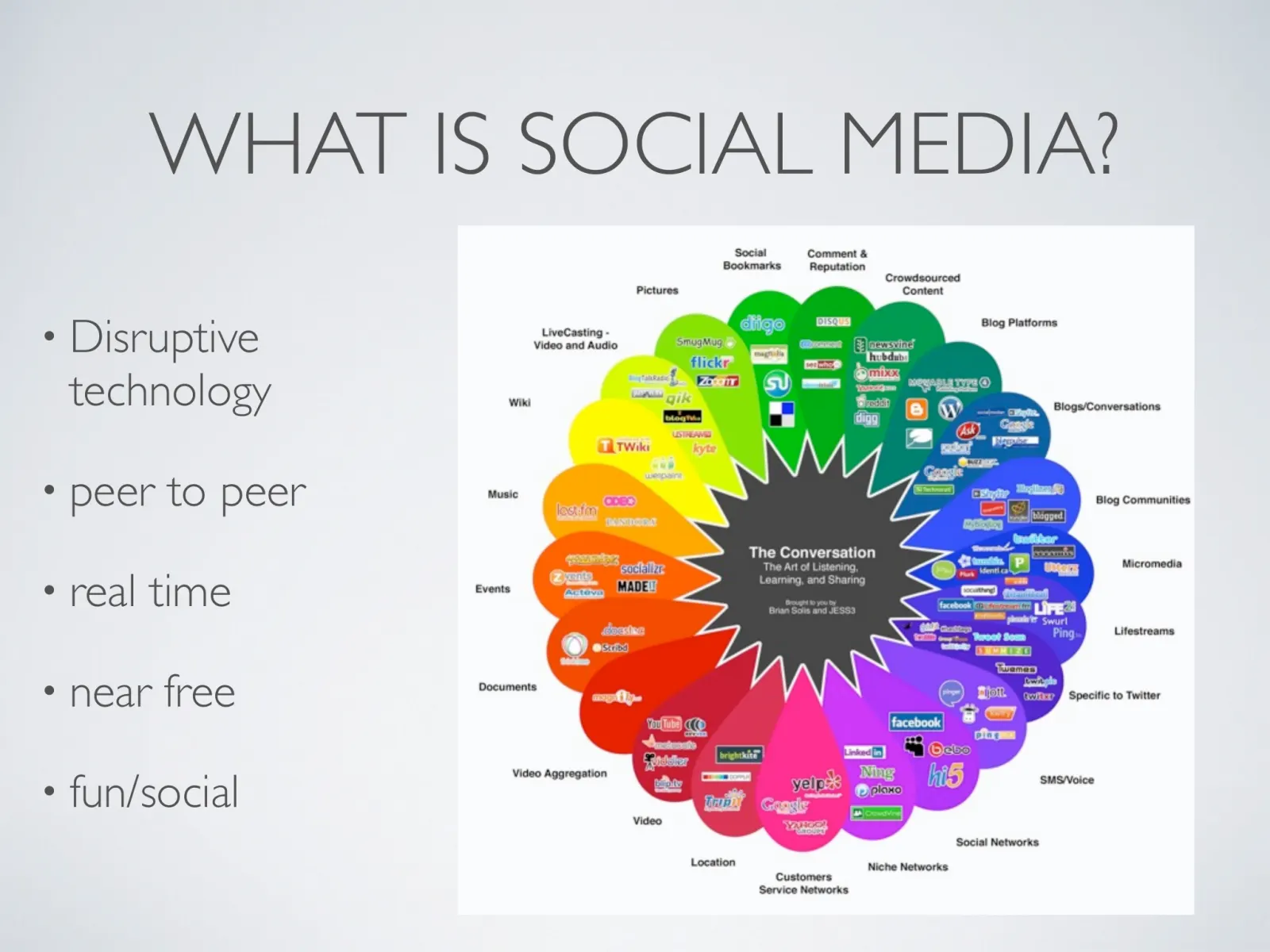
WHAT IS SOCIAL MEDIA? • Disruptive technology • peer to peer • real time • near free • fun/social
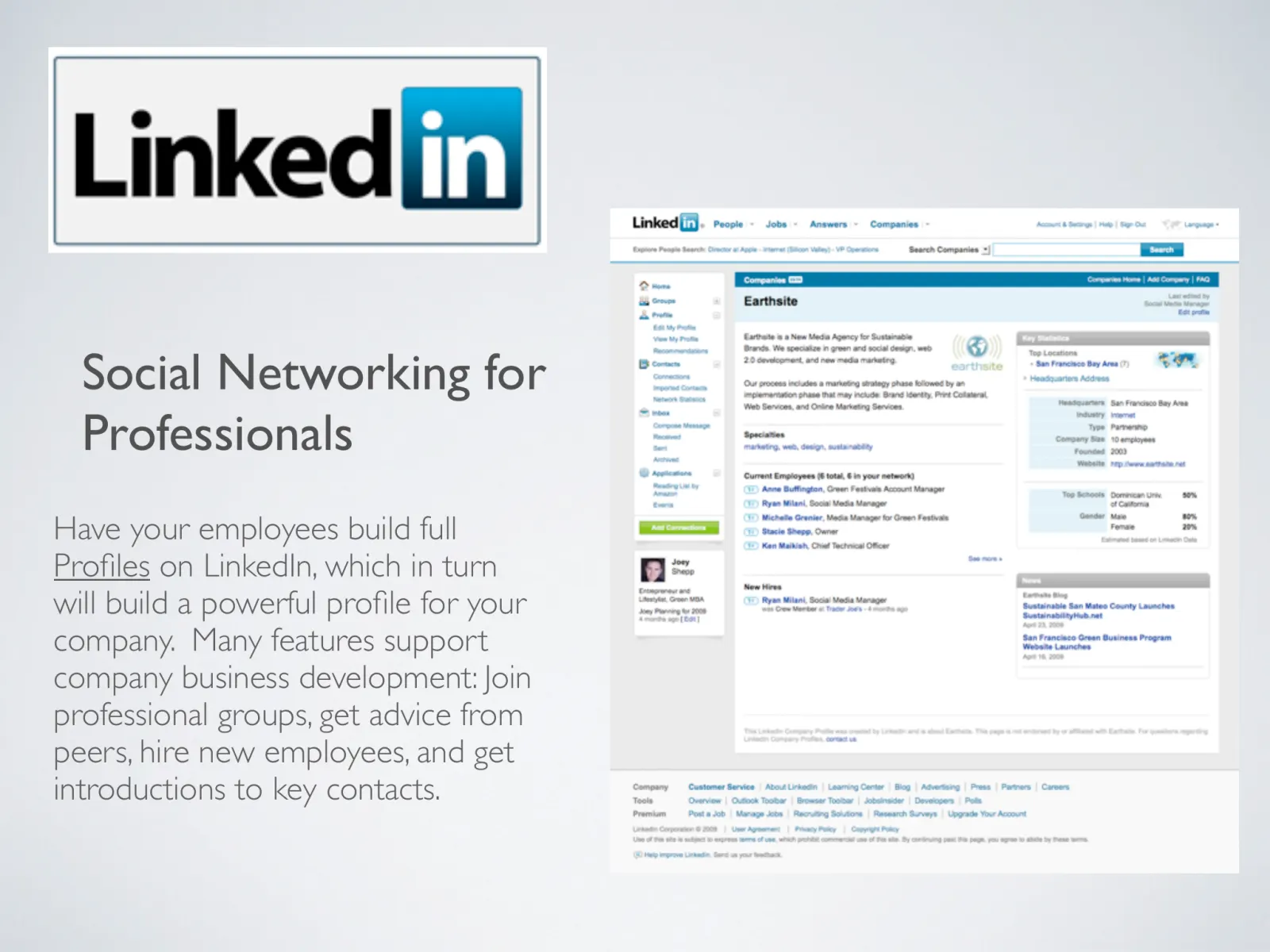
Slide 6 of 40
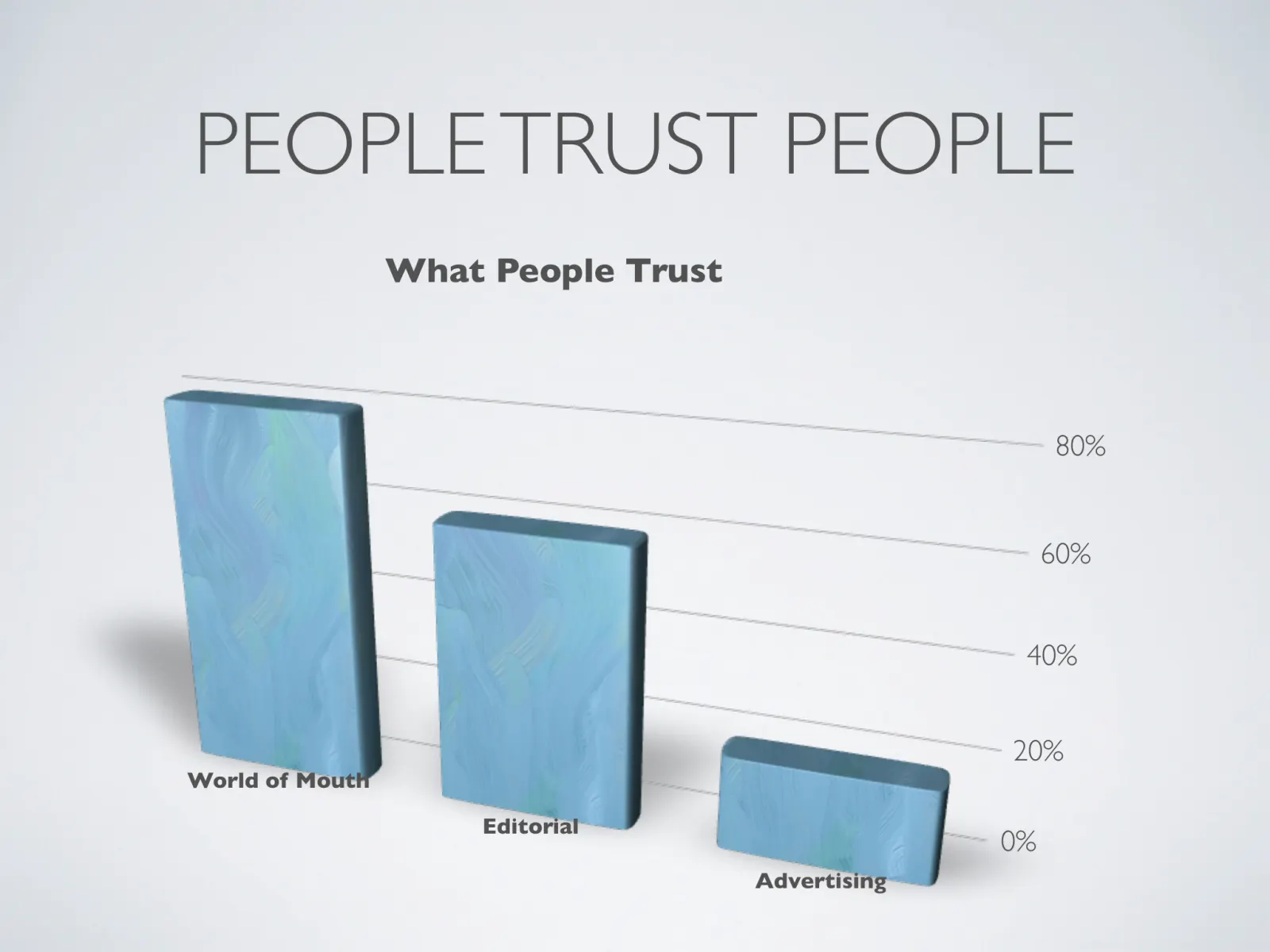
PEOPLE TRUST PEOPLE What People Trust 80% 60% 40% 20% World of Mouth Editorial 0% Advertising
Slide 7 of 40
IF YOU ARE NOT TRANSPARENT They Will See Right Through You
Slide 8 of 40
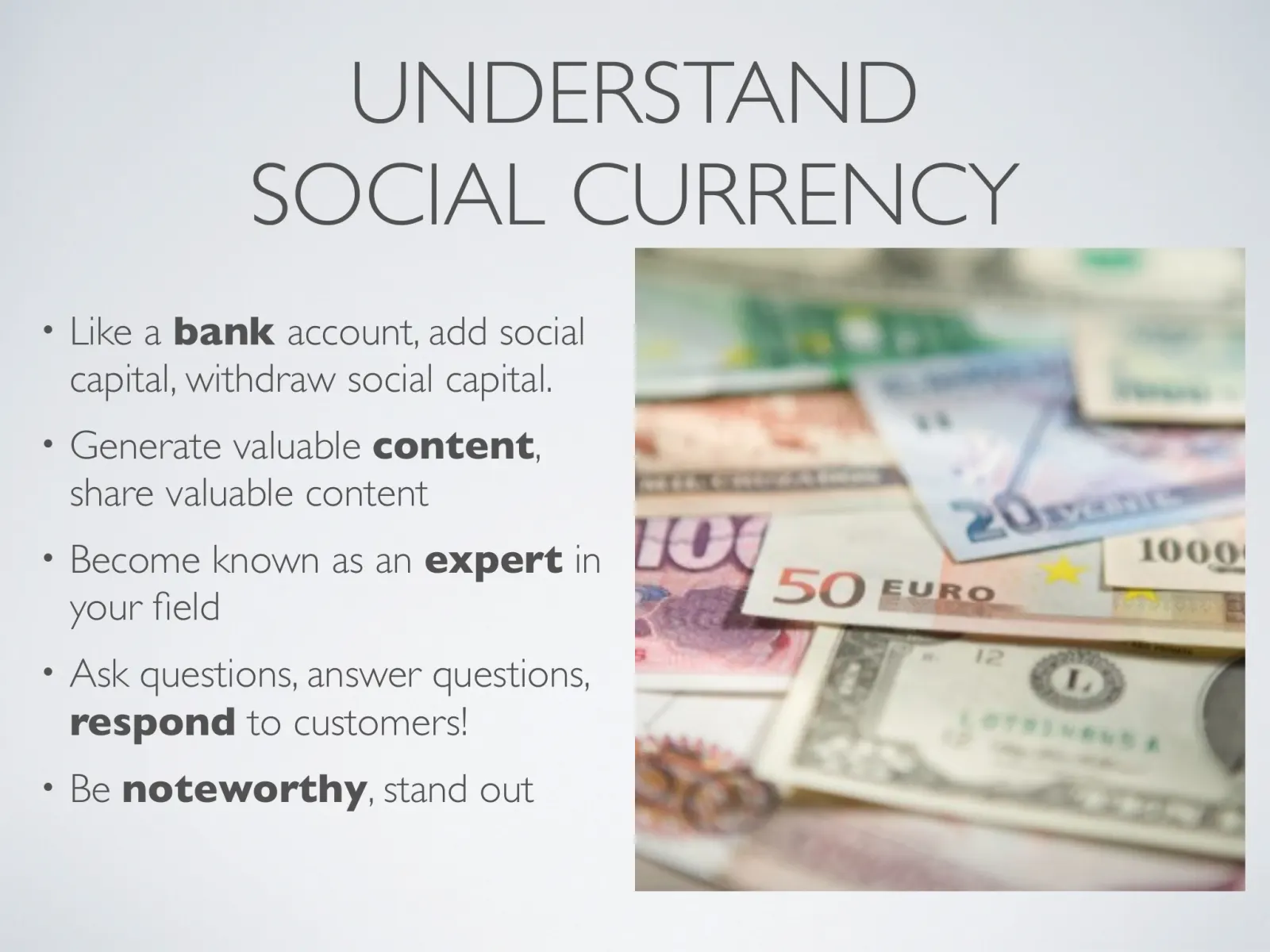
UNDERSTAND SOCIAL CURRENCY • Like a bank account, add social capital, withdraw social capital. • Generate valuable content…
Slide 9 of 40
RESOURCES NEEDED
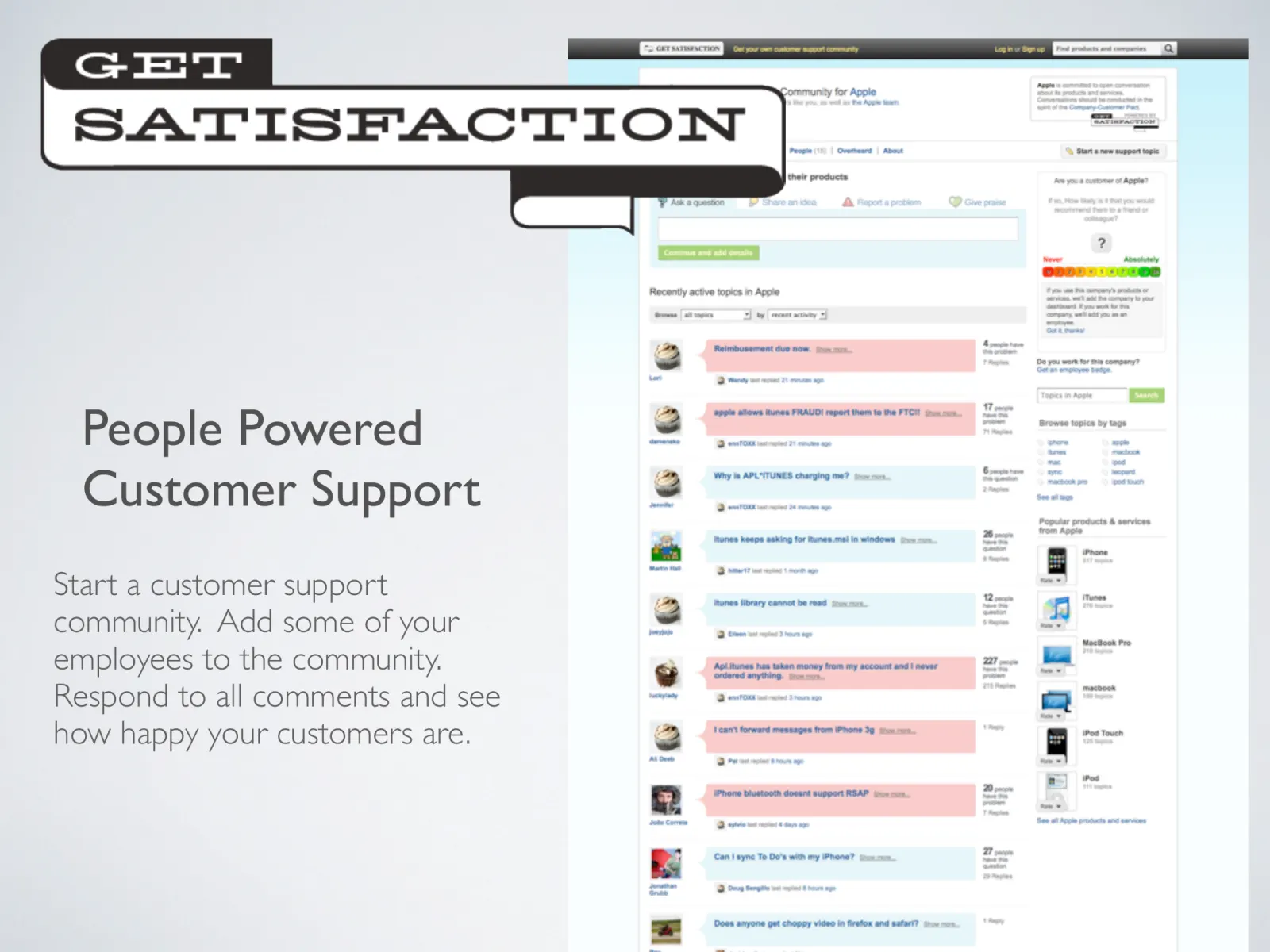
Slide 10 of 40
SKILLS OF SOCIAL MEDIA 1. Strategy 2. Moderation 3. Blogging and Writing Skills 4. Creative and Production 5. Technical…
Slide 11 of 40
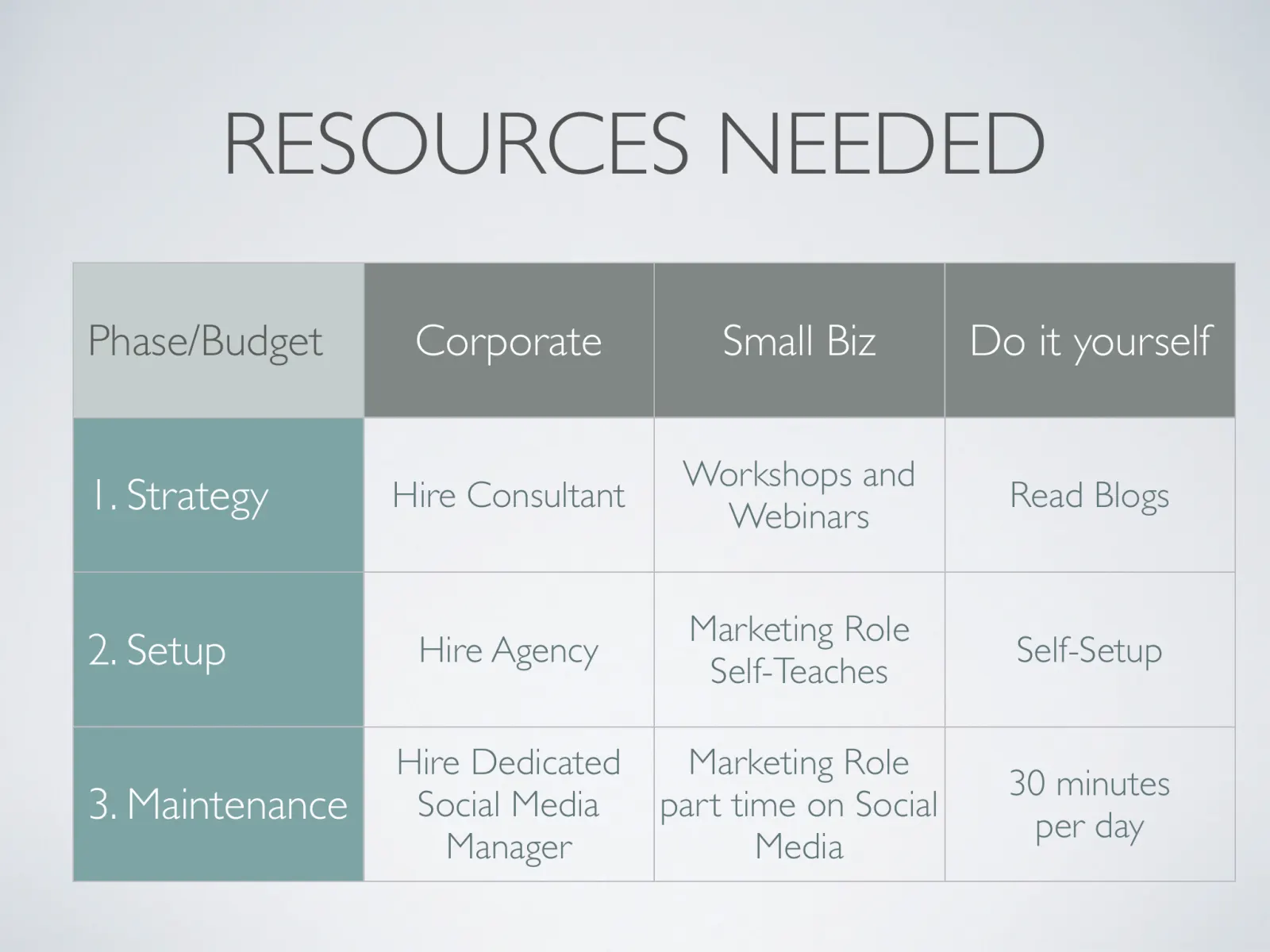
RESOURCES NEEDED Phase/Budget Corporate Small Biz Do it yourself Hire Consultant Workshops and Webinars Read Blogs 2. Setup…
Slide 12 of 40
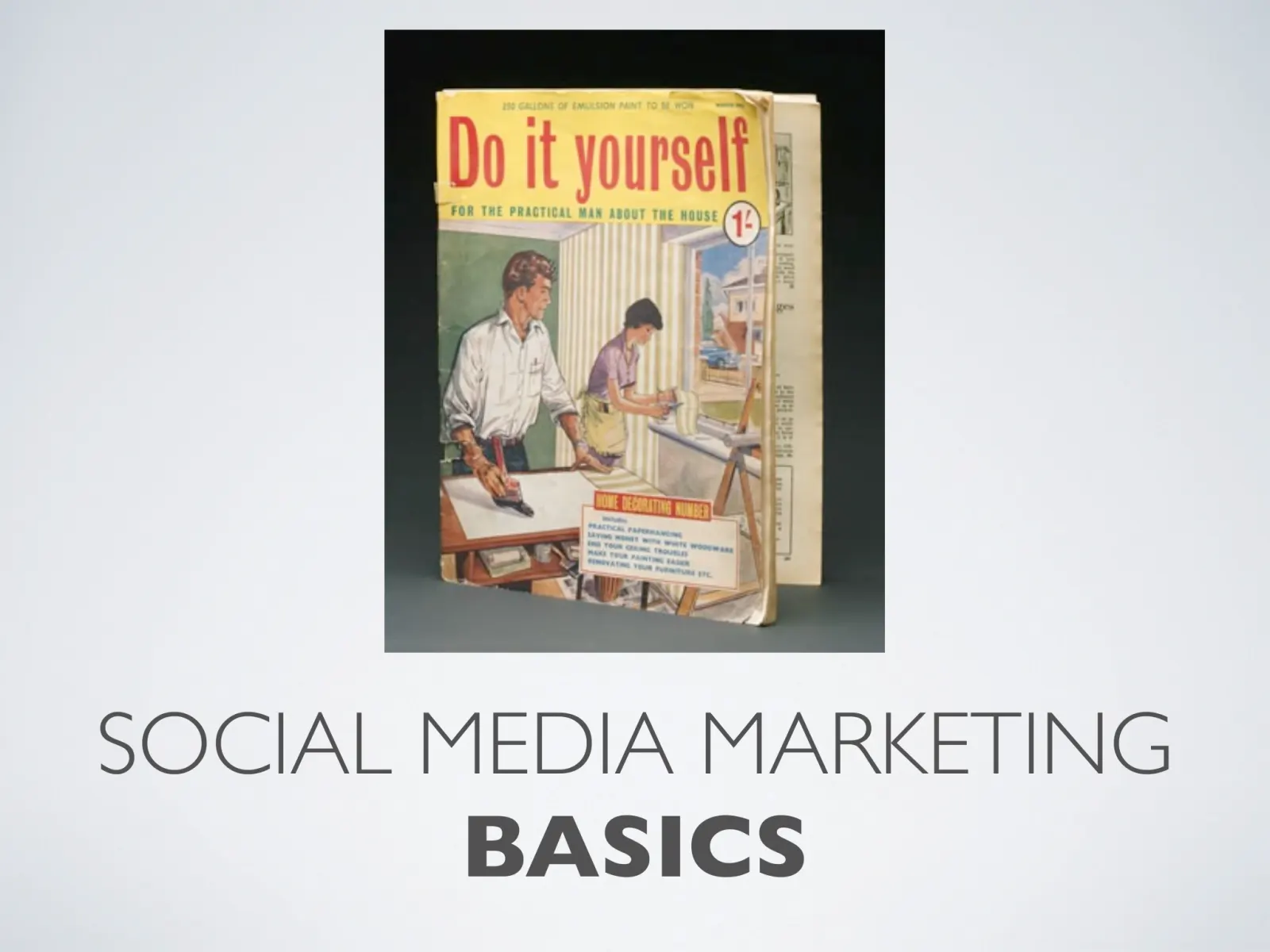
SOCIAL MEDIA MARKETING BASICS
Slide 13 of 40
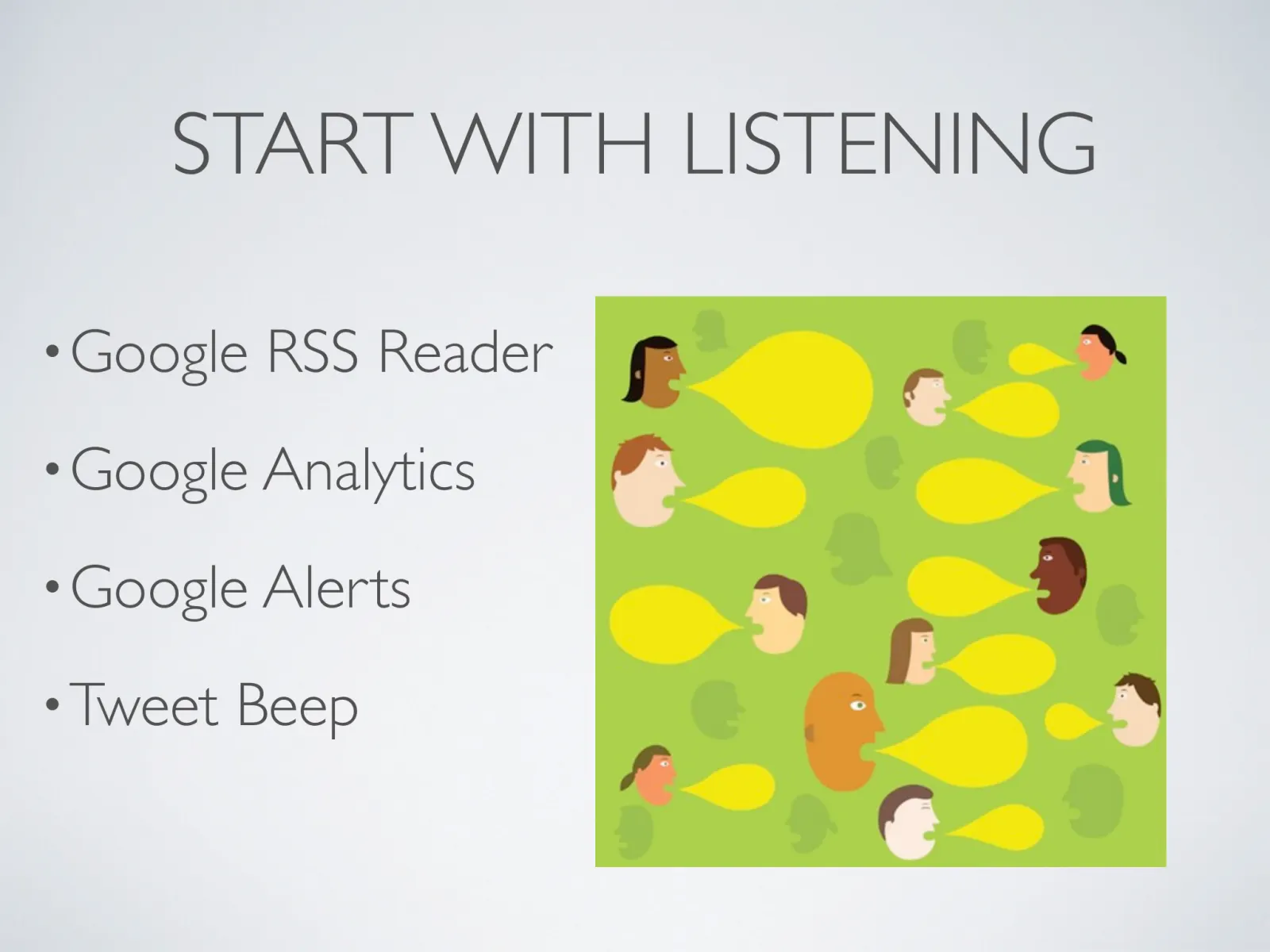
START WITH LISTENING • Google RSS Reader • Google Analytics • Google Alerts • Tweet Beep
Slide 14 of 40
! BASICS
Slide 15 of 40
! Social Networking for Professionals Have your employees build full Profiles on LinkedIn, which in turn will build a…
Slide 16 of 40
SETUP • Setup Complete Profile • Import Address Book • Join Groups !
Slide 17 of 40
MAINTENANCE • Ask for Introductions • Get Recommendations • Answer/Ask Business Questions • Follow up with after networking !
Slide 18 of 40
! BASICS
Slide 19 of 40
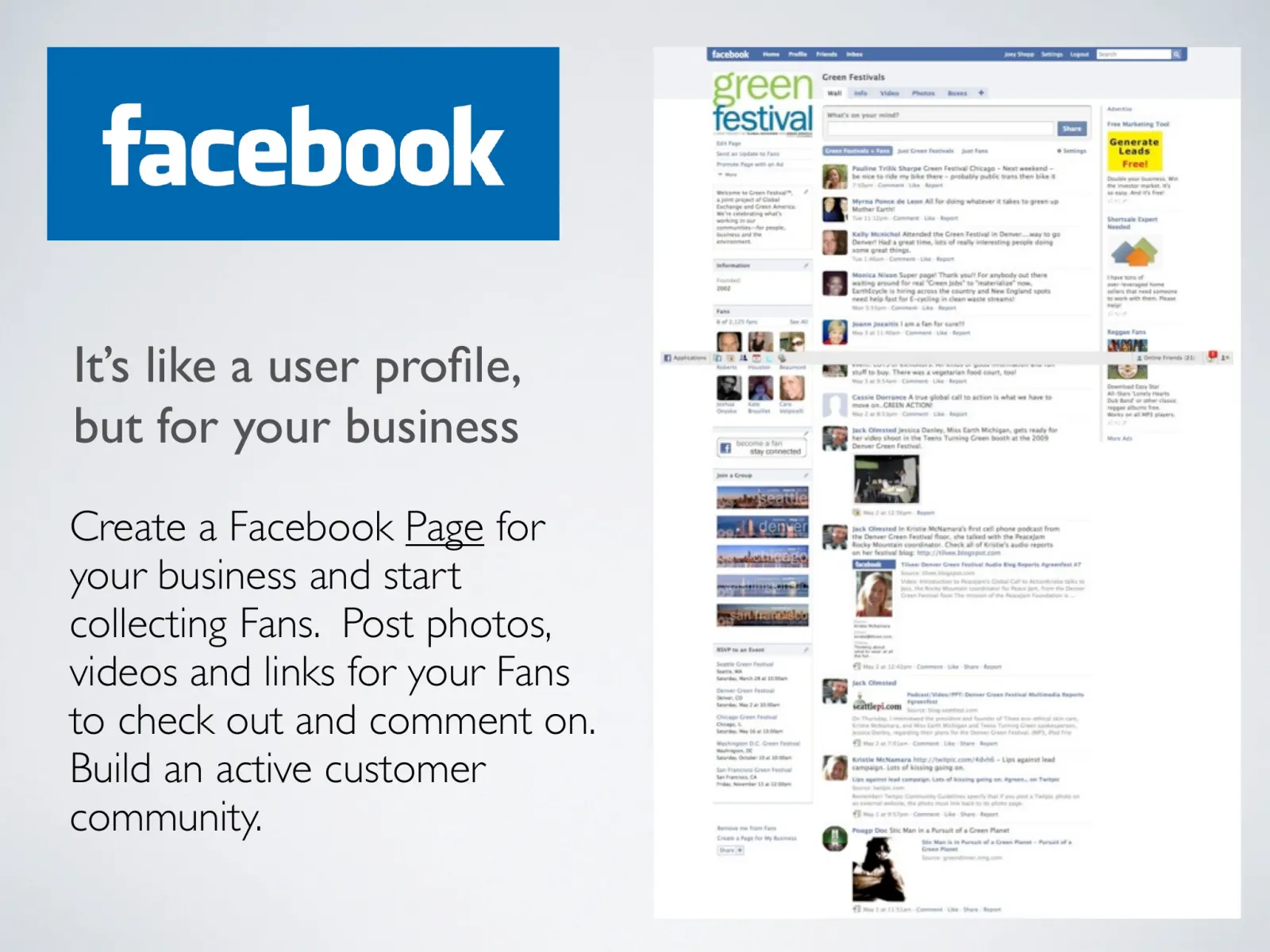
! It’s like a user profile, but for your business Create a Facebook Page for your business and start collecting Fans. Post…
Slide 20 of 40
SETUP • Setup and Configure Page • Content and App Strategies • Invite Friends to become Members !
Slide 21 of 40
MAINTENANCE • Produce Content • Develop relationships with advocates • Interact in Facebook Groups !
Slide 22 of 40
BASICS
Slide 23 of 40
People Powered Customer Support Start a customer support community. Add some of your employees to the community. Respond to…
Slide 24 of 40
HOW TO TWITTER How to Guide
Slide 25 of 40
WHAT IS TWITTER? • Microblogging • Real Time • Public • Always On
Slide 26 of 40
BASIC TWITTER USE • Presence information • Responses to others (@user) • Sharing Links (tiny URL) • Retweeting (RT)…
Slide 27 of 40
BEST PRACTICES • Get your user account NOW • Tweet consistently, 1-6 per day • Provide value to your community • Increase…
Slide 28 of 40
SETUP • Setup Account Page • Follow a ton of people • Content/Value Strategy
Slide 29 of 40
MAINTENANCE • Listen and Respond • Measure • Follow and Unfollow, Prune
Slide 30 of 40
KEY STRATEGIES • Use Twitter Search for finding Customers • Provide Exclusive Deals • Provide links to free downloads…
Slide 31 of 40
BEST APPS • Twitter Search • Bit.ly • Open Brands • Twitalyzer
Slide 32 of 40
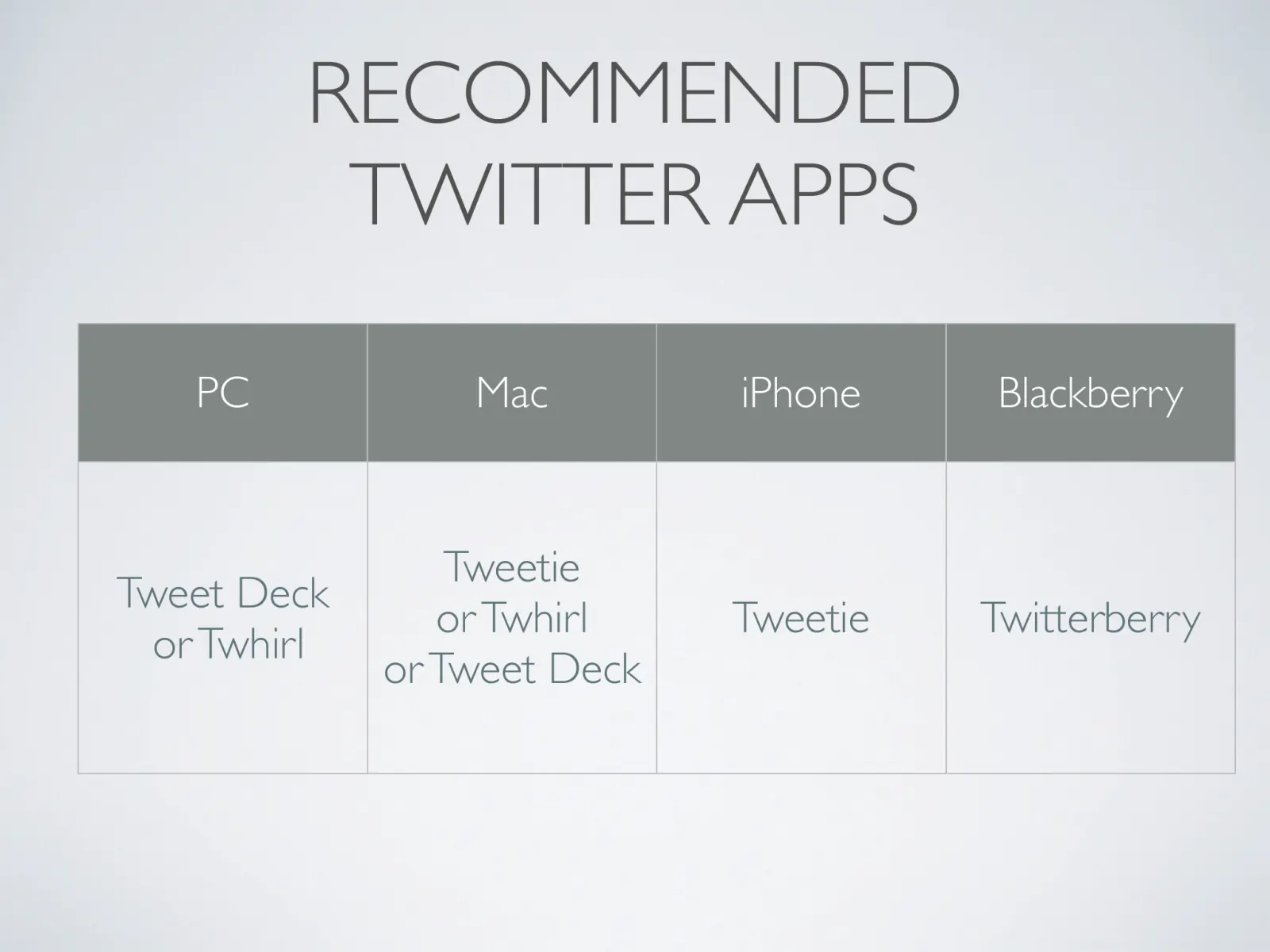
RECOMMENDED TWITTER APPS PC Mac iPhone Blackberry Tweet Deck or Twhirl Tweetie or Twhirl or Tweet Deck Tweetie Twitterberry
Slide 33 of 40
MEASURING SOCIAL MEDIA
Slide 34 of 40
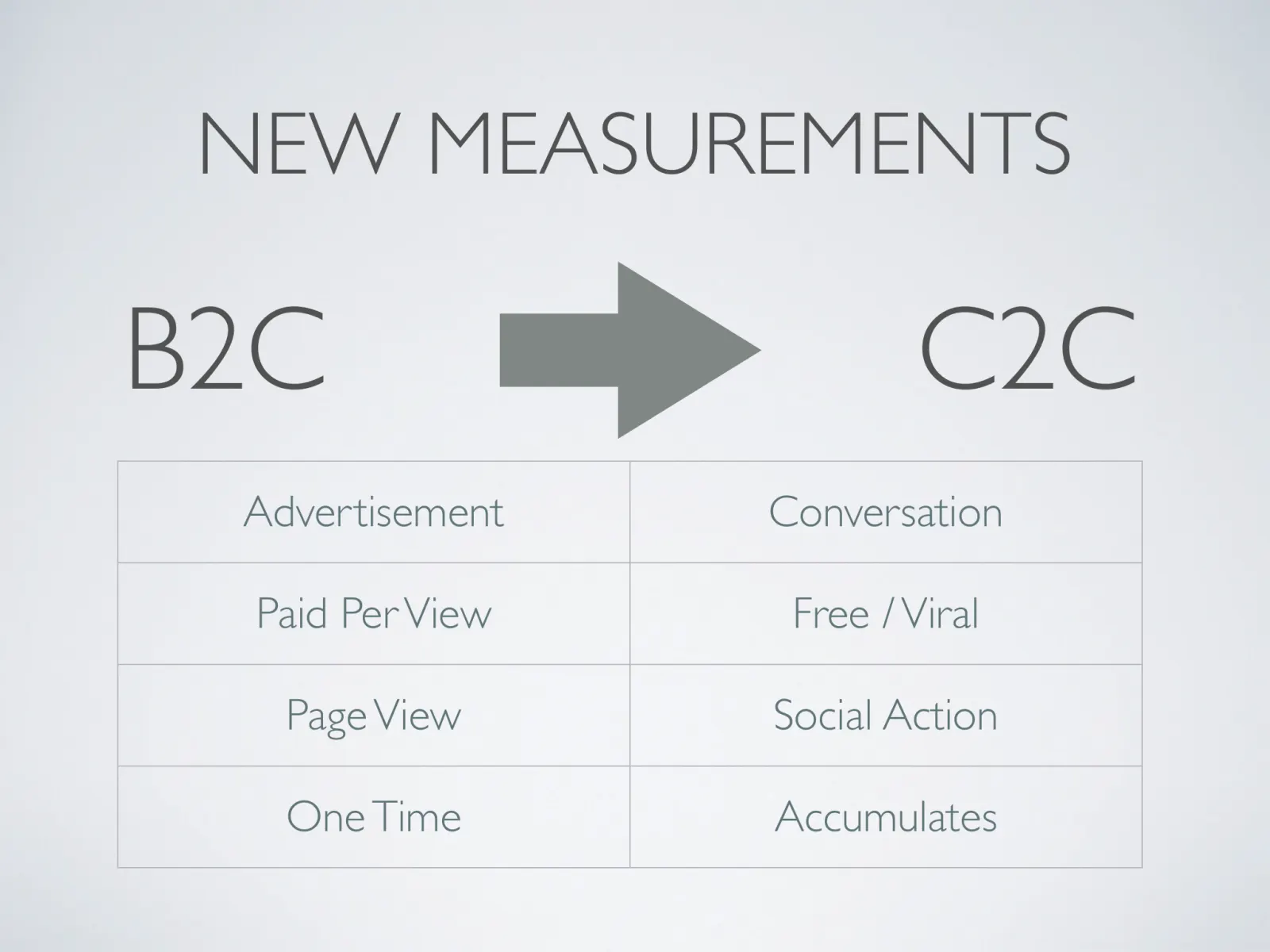
NEW MEASUREMENTS B2C C2C Advertisement Conversation Paid Per View Free / Viral Page View Social Action One Time Accumulates
Slide 35 of 40
TIPS FOR DOING SOCIAL MARKETING RIGHT • Social Media Marketing is worth more • Don't pay for social marketing. • Give out…
Slide 36 of 40
SO WHAT'S THE ROI OF MARKETING IN SOCIAL REALMS? It's higher than traditional advertising because: • Some social actions…
Slide 37 of 40
KEY MEASUREMENTS • Focus on Social Actions: Use traditional media to drive target users online to do something -- take a…
Slide 38 of 40
GO FURTHER Resources
Slide 39 of 40
FOLLOW US ON @earthsite @joeyshepp @openbrands
Slide 40 of 40
Slide text
  1. SOCIAL MEDIA MARKETING beginning-intermediate workshop
  2. WELCOME TO EARTHSITE • Web Strategy for Sustainable Brands • Strategy and Branding • Web Design and Development • Social Media Marketing
  3. ROADMAP 1. Concepts 2. Listening 3. LinkedIn 4. Facebook 5. Twitter
  4. KEY CONCEPTS
  5. WHAT IS SOCIAL MEDIA? • Social Networking • Online Video • Blogging • Ratings/Reviews • Sharing Content
  6. WHAT IS SOCIAL MEDIA? • Disruptive technology • peer to peer • real time • near free • fun/social
  7. PEOPLE TRUST PEOPLE What People Trust 80% 60% 40% 20% World of Mouth Editorial 0% Advertising
  8. IF YOU ARE NOT TRANSPARENT They Will See Right Through You
  9. UNDERSTAND SOCIAL CURRENCY • Like a bank account, add social capital, withdraw social capital. • Generate valuable content, share valuable content • Become known as an expert in your field • Ask questions, answer questions, respond to customers! • Be noteworthy, stand out
  10. RESOURCES NEEDED
  11. SKILLS OF SOCIAL MEDIA 1. Strategy 2. Moderation 3. Blogging and Writing Skills 4. Creative and Production 5. Technical Development 6. Targeted Advertising 7. Search Engine Optimization 8. Analytics and Monitoring
  12. RESOURCES NEEDED Phase/Budget Corporate Small Biz Do it yourself Hire Consultant Workshops and Webinars Read Blogs 2. Setup Hire Agency Marketing Role Self-Teaches Self-Setup 3. Maintenance Hire Dedicated Social Media Manager Marketing Role part time on Social Media 30 minutes per day 1. Strategy
  13. SOCIAL MEDIA MARKETING BASICS
  14. START WITH LISTENING • Google RSS Reader • Google Analytics • Google Alerts • Tweet Beep
  15. ! BASICS
  16. ! Social Networking for Professionals Have your employees build full Profiles on LinkedIn, which in turn will build a powerful profile for your company. Many features support company business development: Join professional groups, get advice from peers, hire new employees, and get introductions to key contacts.
  17. SETUP • Setup Complete Profile • Import Address Book • Join Groups !
  18. MAINTENANCE • Ask for Introductions • Get Recommendations • Answer/Ask Business Questions • Follow up with after networking !
  19. ! BASICS
  20. ! It’s like a user profile, but for your business Create a Facebook Page for your business and start collecting Fans. Post photos, videos and links for your Fans to check out and comment on. Build an active customer community.
  21. SETUP • Setup and Configure Page • Content and App Strategies • Invite Friends to become Members !
  22. MAINTENANCE • Produce Content • Develop relationships with advocates • Interact in Facebook Groups !
  23. BASICS
  24. People Powered Customer Support Start a customer support community. Add some of your employees to the community. Respond to all comments and see how happy your customers are.
  25. HOW TO TWITTER How to Guide
  26. WHAT IS TWITTER? • Microblogging • Real Time • Public • Always On
  27. BASIC TWITTER USE • Presence information • Responses to others (@user) • Sharing Links (tiny URL) • Retweeting (RT) • Direct Messages
  28. BEST PRACTICES • Get your user account NOW • Tweet consistently, 1-6 per day • Provide value to your community • Increase ‘signal’ by using #hashtags
  29. SETUP • Setup Account Page • Follow a ton of people • Content/Value Strategy
  30. MAINTENANCE • Listen and Respond • Measure • Follow and Unfollow, Prune
  31. KEY STRATEGIES • Use Twitter Search for finding Customers • Provide Exclusive Deals • Provide links to free downloads • Gather Feedback • Identify Influencers
  32. BEST APPS • Twitter Search • Bit.ly • Open Brands • Twitalyzer
  33. RECOMMENDED TWITTER APPS PC Mac iPhone Blackberry Tweet Deck or Twhirl Tweetie or Twhirl or Tweet Deck Tweetie Twitterberry
  34. MEASURING SOCIAL MEDIA
  35. NEW MEASUREMENTS B2C C2C Advertisement Conversation Paid Per View Free / Viral Page View Social Action One Time Accumulates
  36. TIPS FOR DOING SOCIAL MARKETING RIGHT • Social Media Marketing is worth more • Don't pay for social marketing. • Give out samples • Give a place to talk about your product online publicly • Ask questions to stimulate conversations By Augustine Fou, ClickZ, Apr 9, 2009
  37. SO WHAT'S THE ROI OF MARKETING IN SOCIAL REALMS? It's higher than traditional advertising because: • Some social actions drive new revenues at no cost to the advertiser. • No advertising costs are required to blast the ad out at people who don't want it in the first place. • Social actions archived online provide lasting and ongoing value to future seekers of information at no extra cost to advertisers. • There's a potential for amplification while traditional ads are over once they air. By Augustine Fou, ClickZ, Apr 9, 2009
  38. KEY MEASUREMENTS • Focus on Social Actions: Use traditional media to drive target users online to do something — take a social action — not just arrive on a site. • Measure Before and After: Measure social intensity before and after to see if campaigns successfully caused target customers to take social actions -rate, comment, share, recommend, etc.. • Accumulate Social Capital: Devise social actions that lead to an accumulation of value for the community of users over time — e.g. users rate and share tips about restaurants — Yelp.com. This builds an asset that has lasting value. By Augustine Fou, ClickZ, Feb 11, 2009
  39. GO FURTHER Resources
  40. FOLLOW US ON @earthsite @joeyshepp @openbrands